Writing about SoftPresenter?
Everything here is free to use in an article, a video or a post about SoftPresenter: the facts, short descriptions to quote, the logo and screenshots of the app as it is today.
The short version.
- Name
- SoftPresenter: one word, capital S and P
- What it is
- Presentation software for church services, all in one app: songs, Bible verses, slides from PowerPoint, pictures and video, stage screens and the livestream
- Who it’s for
- One volunteer running the whole service, up to a full production team
- Price
- Free
- Licence
- Open source, GPL-3.0-or-later. The code is on GitHub
- Runs on
- Mac (Apple silicon and Intel, macOS 11 or later), Windows 10 and 11, and Linux (Ubuntu, Linux Mint, Debian)
- Status
- Pre-release, version 0.9.0-dev.21 (November 2026). Ready to try and test; not for Sunday use yet
- Its languages
- English, Spanish, Russian and Ukrainian
- Made with
- Rust, with the slides drawn on the graphics card, for speed on new and older computers
- Inspired by
- SoftProjector, a free, open-source church presenter whose last release, 2.2, came out in 2017. A SoftProjector library comes across whole
- Made by
- The maker of VoxLive, live translation captions for churches
- Website
- softpresenter.com
Words to quote.
SoftPresenter is free, open-source church presentation software, simple enough for one volunteer and deep enough for a full production team.
SoftPresenter is free, open-source presentation software for churches, for Mac, Windows and Linux. Songs, the Bible, slides from PowerPoint, pictures and video, stage screens and the livestream are all in one app, simple enough for one volunteer and deep enough for a full production team. It is written in Rust for speed: a Bible chapter is on the page as you finish typing its reference. It was inspired by SoftProjector, a free, open-source church presenter, and is built for today’s computers and today’s services.
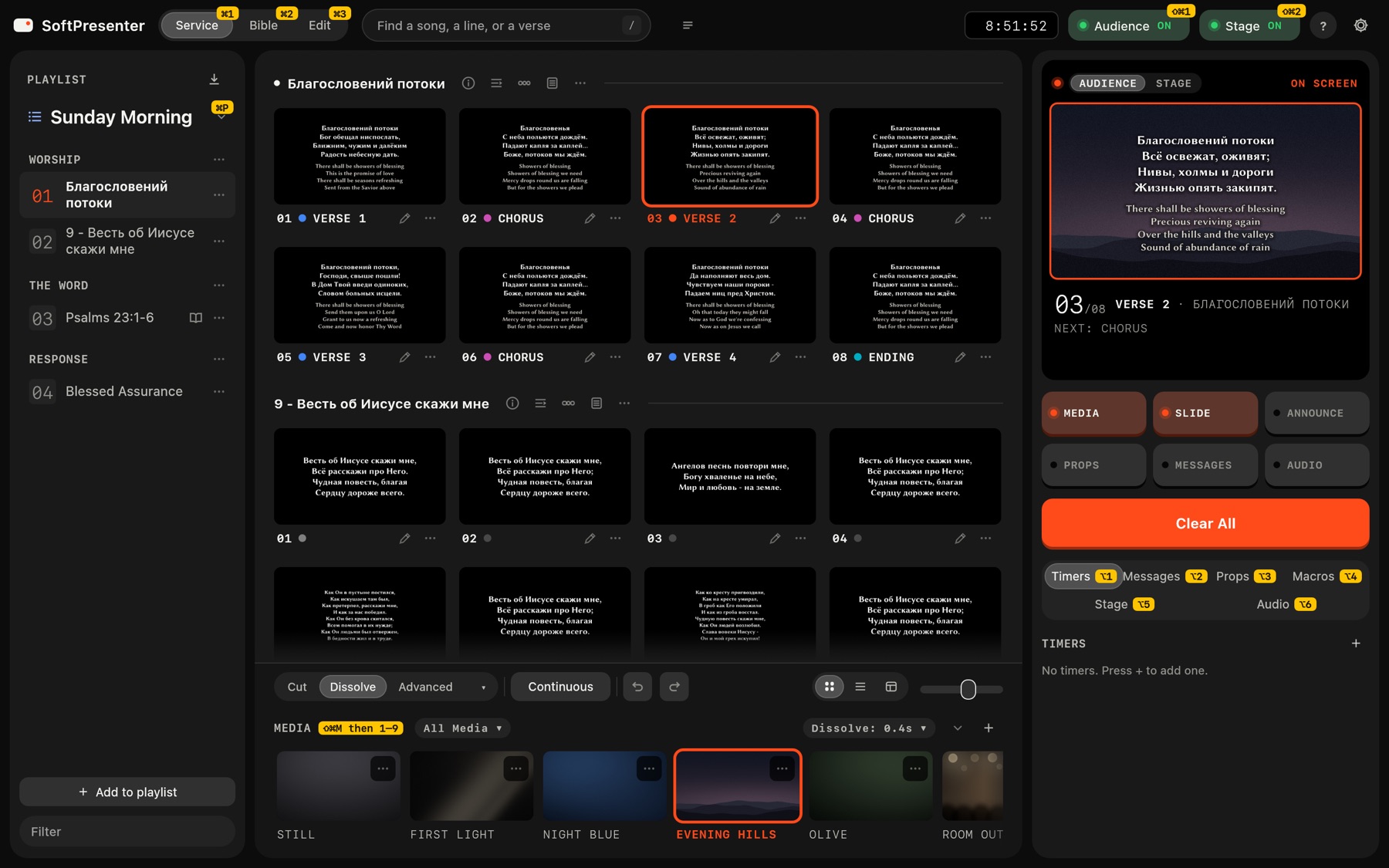
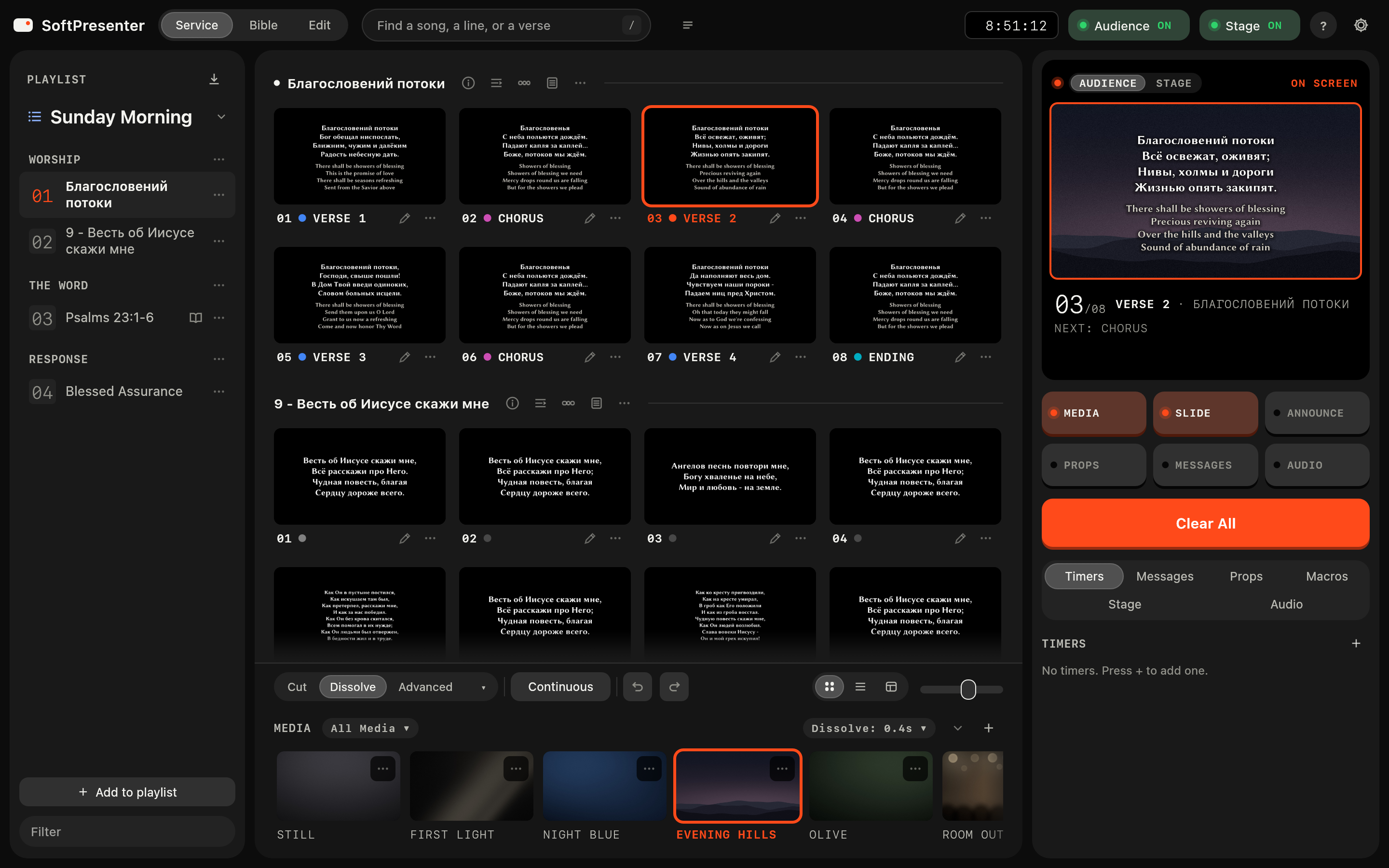
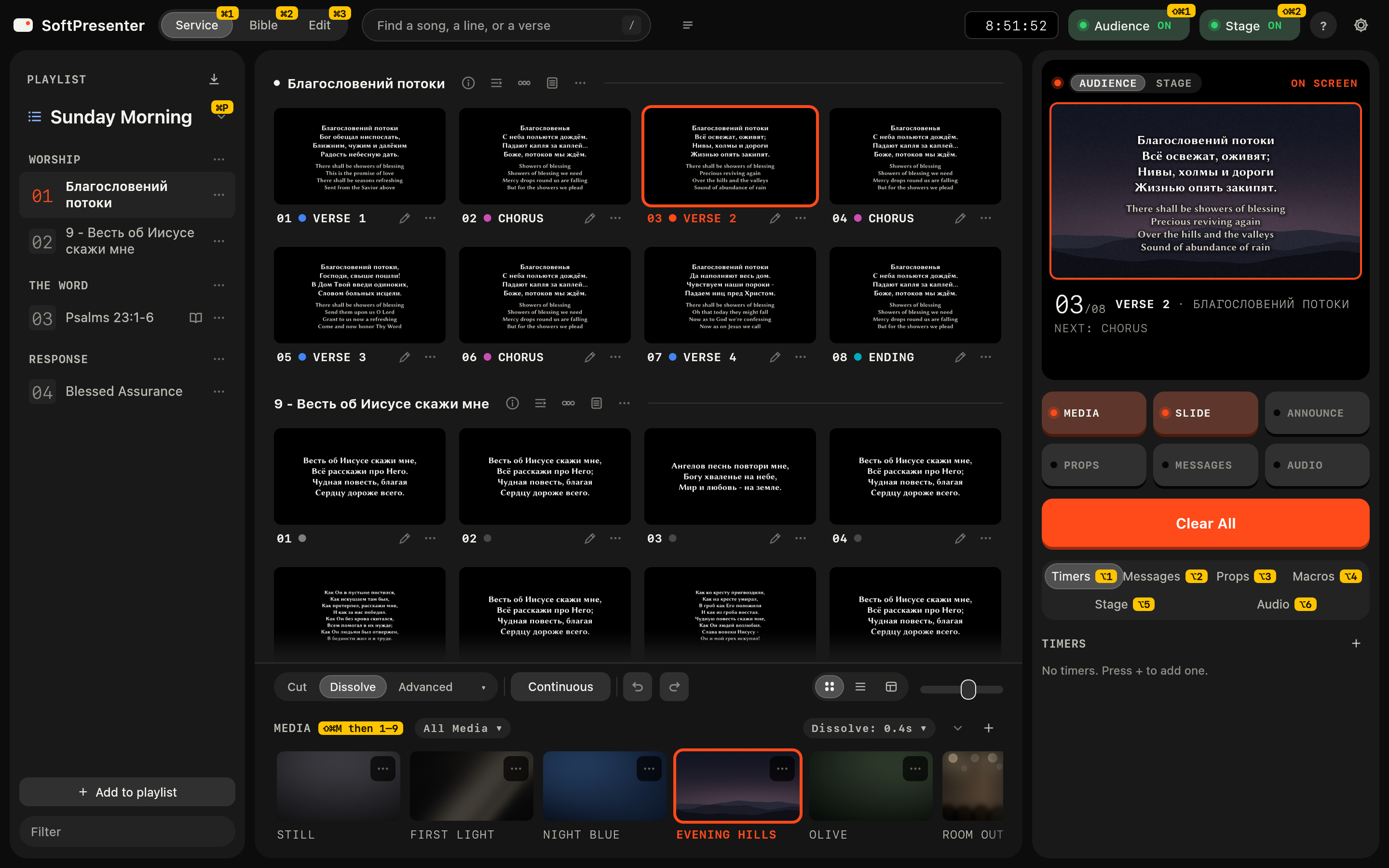
SoftPresenter is free, open-source presentation software for church services, for Mac, Windows and Linux, inspired by SoftProjector, a free church presenter whose last release came out in 2017. It is made to be simple enough for one volunteer running the whole service and deep enough for a full production team. One window holds the service: the playlist on the left, every slide in the middle, and what the room sees on the right. Songs can carry two languages on every slide, each with its own size and colour, for churches that sing in Russian or Ukrainian and English side by side. A volunteer can run the slides from a tablet or phone on the church’s network, behind a password. Screens can be projectors, stage monitors, NDI streams or DeckLink outputs, and a camera can sit in a slide. Everything has a button for those who would rather click, and a key for operators who want a verse or a song on screen in a second. A PowerPoint comes in as slides you can edit, words still words, in a moment. It is written in Rust and tested on new and older computers, and a command line runs the same code as every button, so a script or an AI agent can build Sunday’s playlist. SoftPresenter is in pre-release: ready to try and test, not yet for Sunday use.
Worth knowing.
- One app, one volunteer or a whole team. Songs, the Bible, PowerPoint slides, media, stage screens and the livestream in one window.
- Fast. Written in Rust; a Bible chapter is there as you finish typing the reference, and the screens are drawn apart from the operator’s window.
- Keys or clicks. Every action has a button and a key:
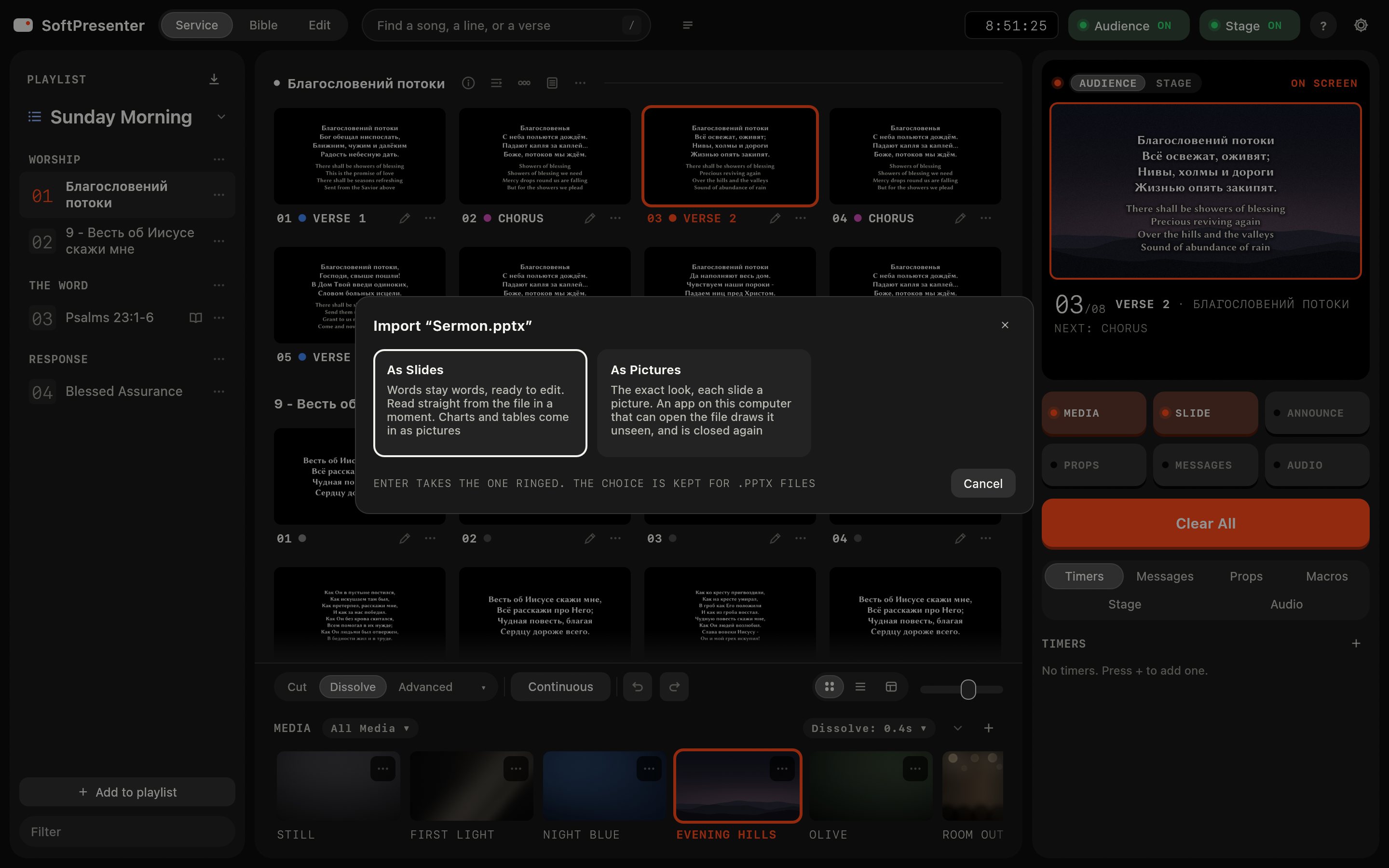
/, a reference and Enter puts a verse on screen. - PowerPoint in a moment. A deck comes in as slides you can edit, with its fonts, pictures and backgrounds; on a Mac, also as exact pictures.
- Two languages on every slide. Each language has its own size and colour, and long lines shrink to fit.
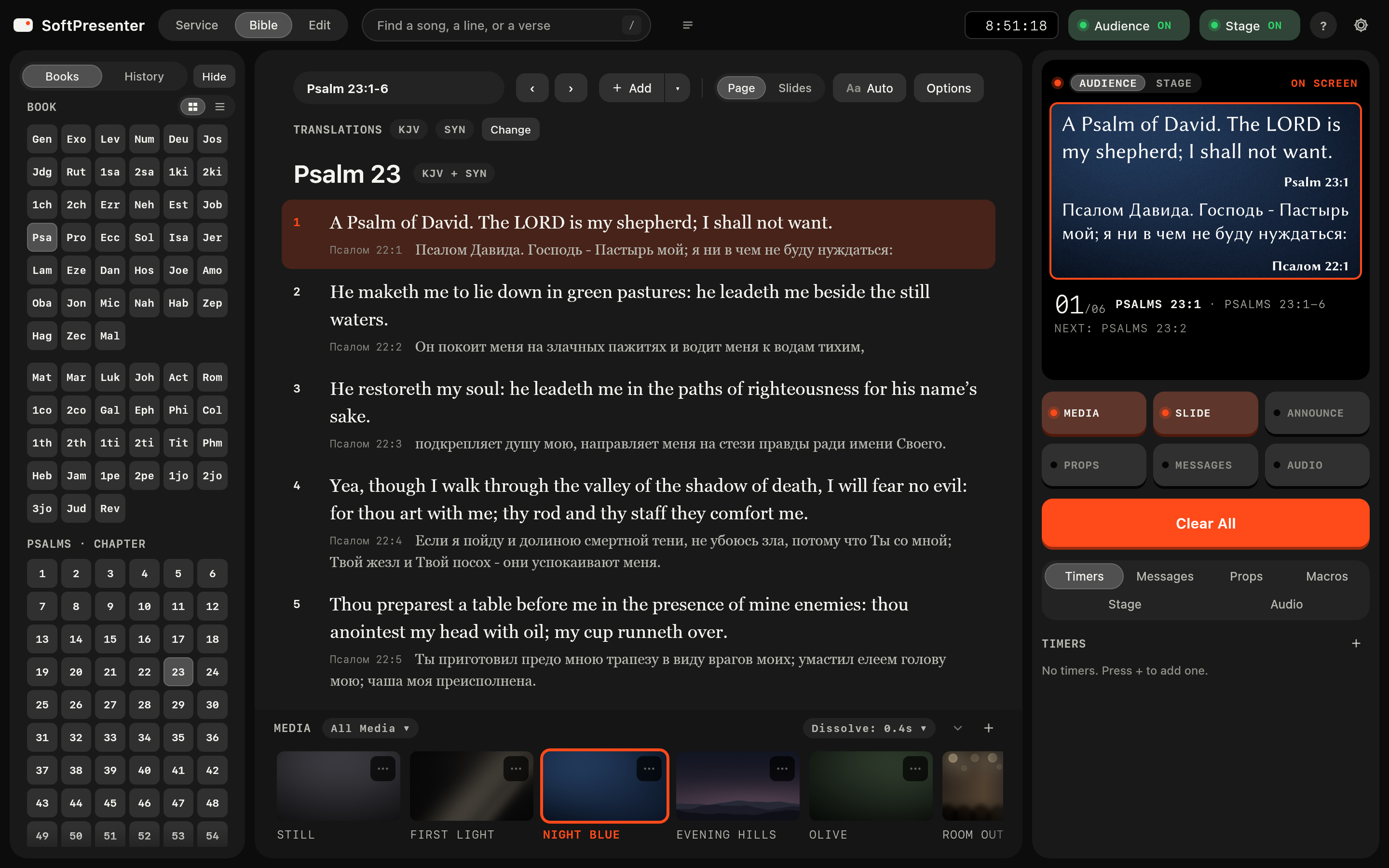
- The Bible built in. Look up a verse by typing it; four Bibles come with the app and more can be downloaded.
- Run the service from a tablet. The app serves a page to any phone, tablet or computer on the church’s network, over HTTPS and behind a password.
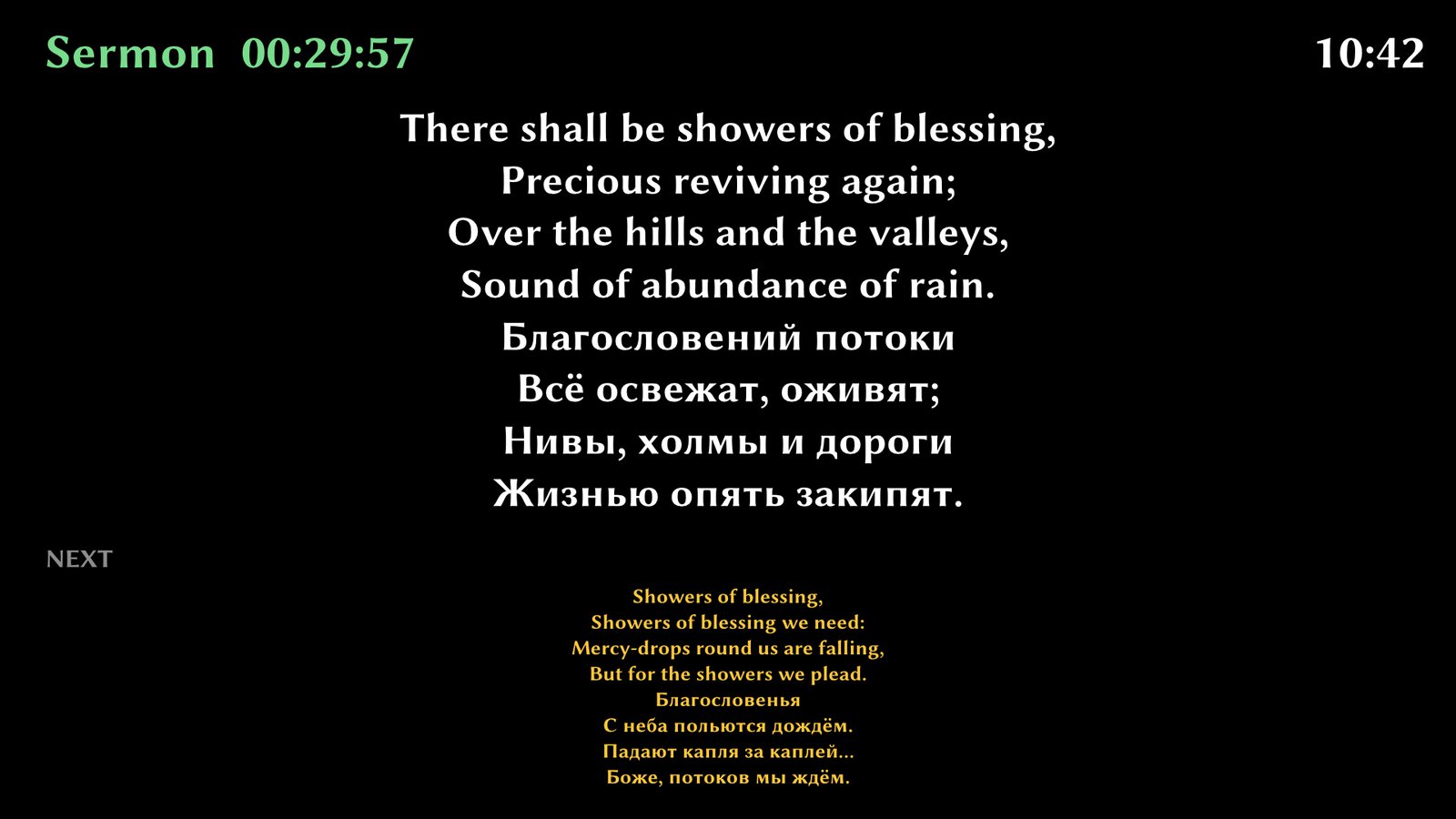
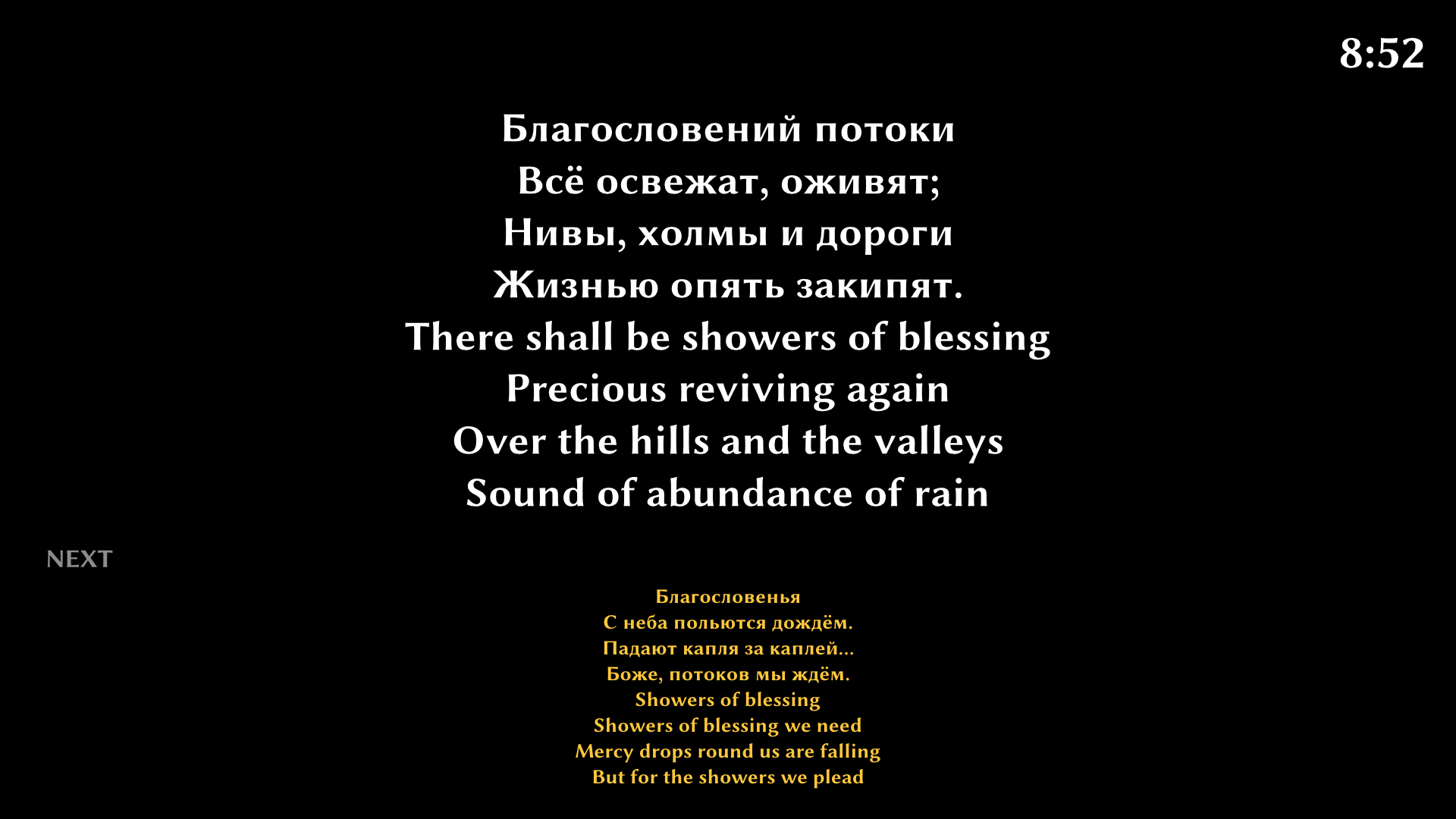
- Every kind of screen. Projectors, stage screens with the next slide and a timer, NDI streams, DeckLink outputs, and a camera in a slide.
- What you can click, an AI agent can do. The command line runs the same code as its button, with replies in JSON.
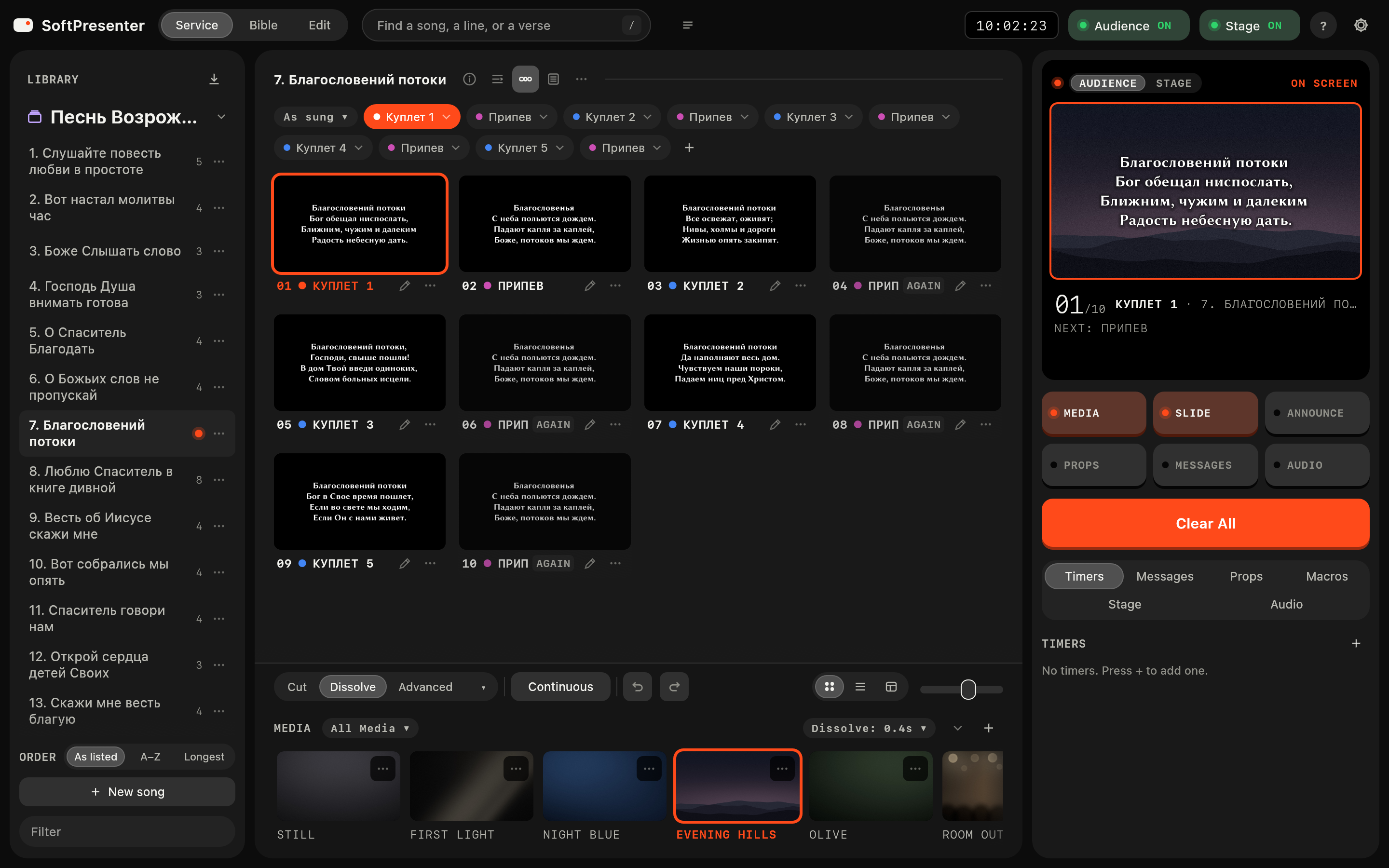
- Bring your songs. Drop in the song files a church already has and they become songs and slides.
- Tuned for older computers too. Tested on Apple silicon, a 2015 Intel iMac, a Windows office PC and Linux.
The mark and the icon.



Please keep the mark’s shape and colours as they are, and write the name as one word: SoftPresenter. The orange is #FF4A1A.
The app as it is today.
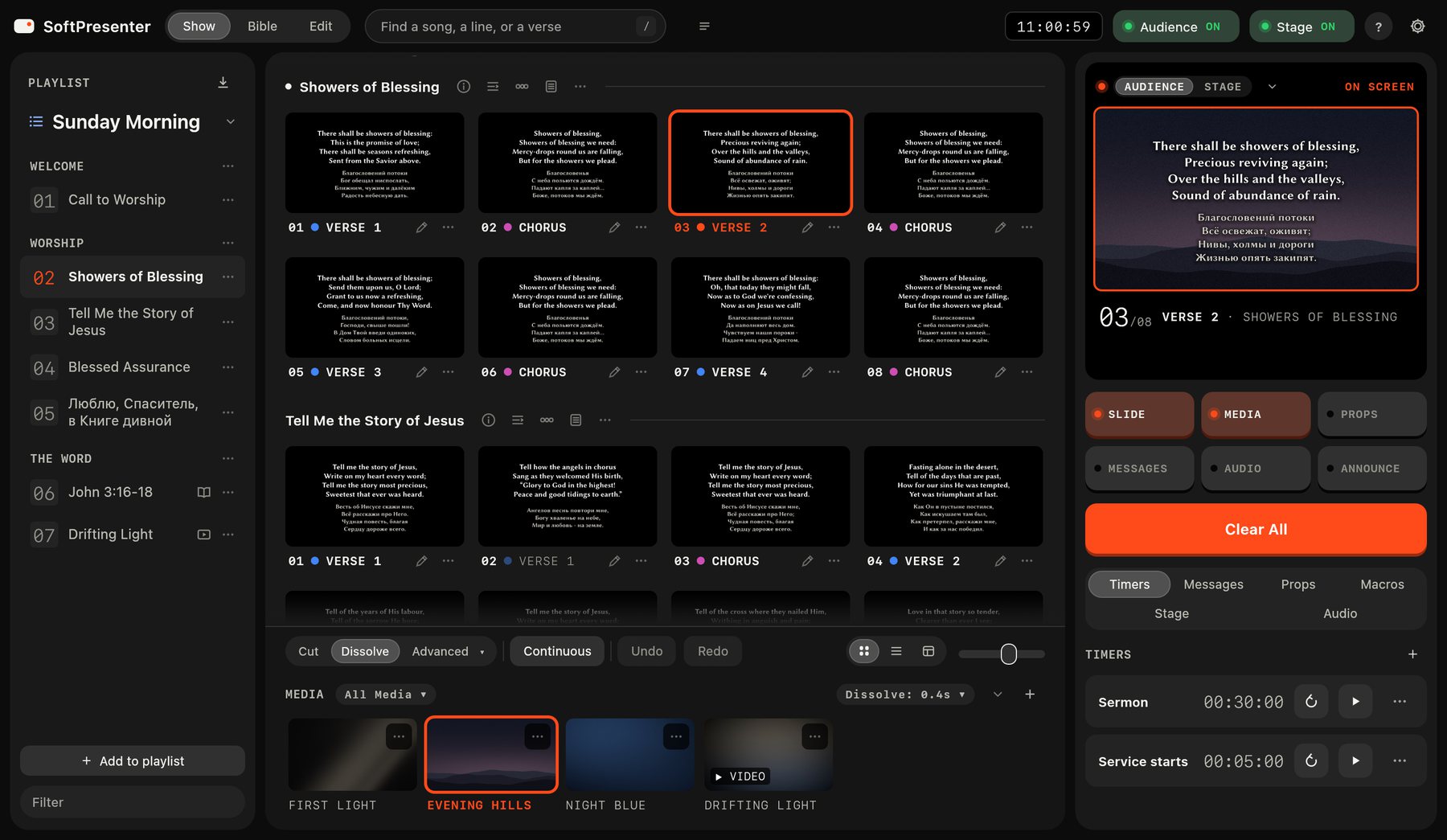
The window during a service: the playlist, every slide in two languages, and what the room sees.
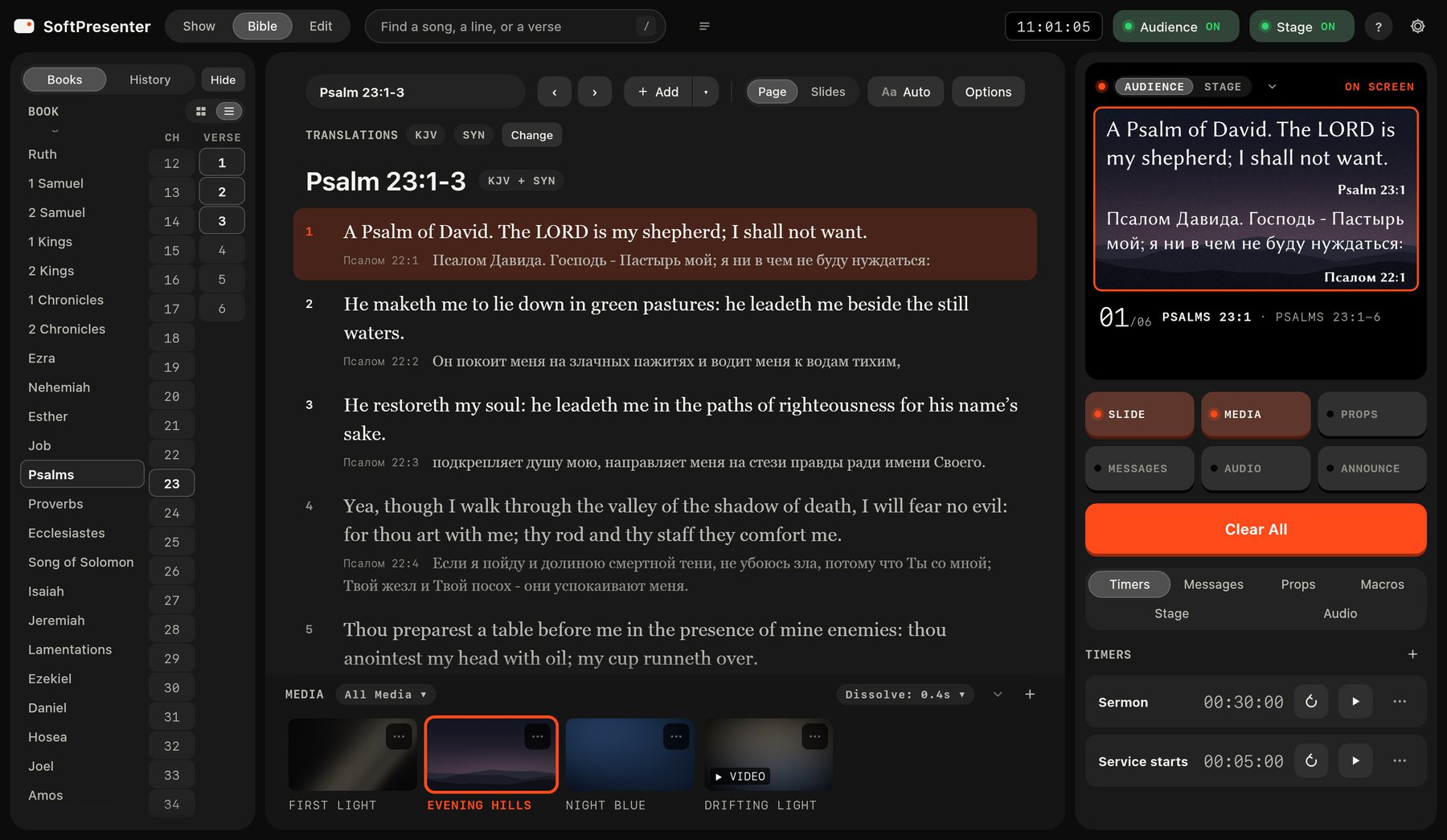
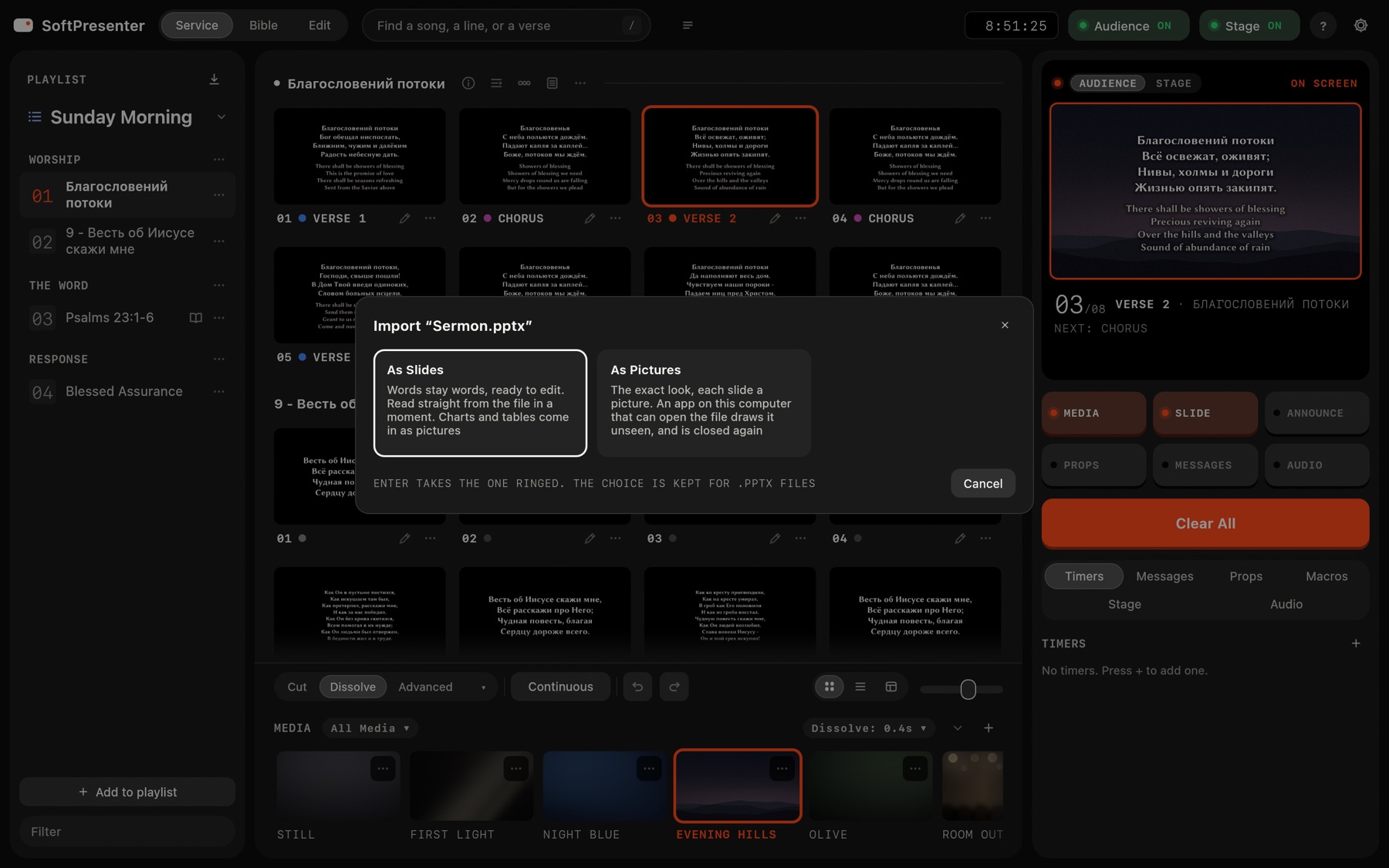
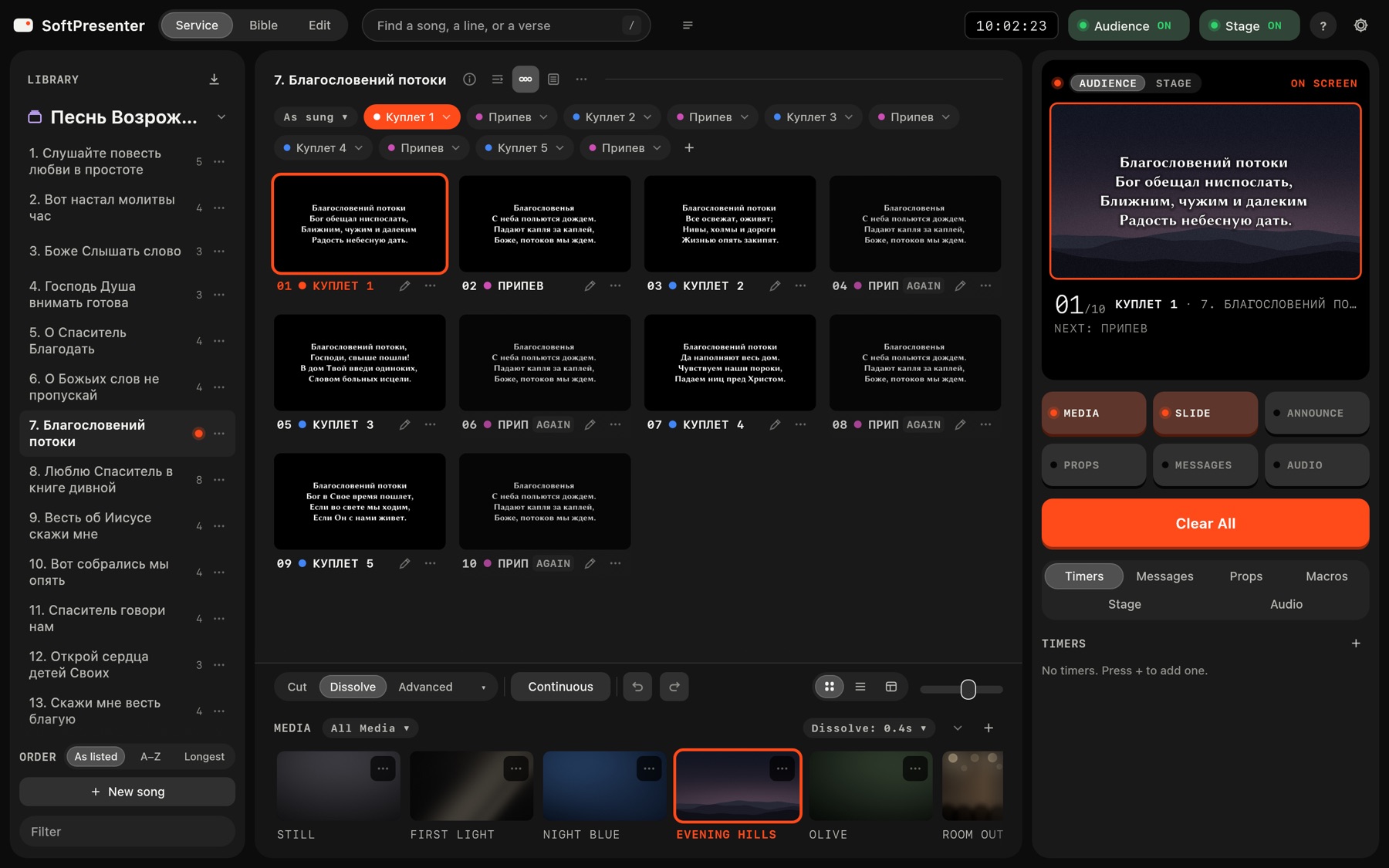

SoftPresenter is in pre-release, so the window may look a little different by the time you publish.
Questions.
For press
Questions, interviews or a closer look: write to [email protected].
To see it working
Download the pre-release from softpresenter.com and try it with your own songs. Bug reports and ideas go to the Issues page on GitHub.